Digital Experience
IP Resource Management
Subscriber Insights
Industry Report
Unlock new broadband value opportunities—get the Future of the Connected Home report.
Resource Orchestration
Service Orchestration
Industry Report
Unlock new broadband value opportunities—get the Future of the Connected Home report.
Incognito Plus
Boost performance, reduce downtime, and strengthen your operations. Explore Incognito's Managed Services.
Company Info
Partner Program
Career Opportunities
Join a growing team shaping the future of broadband. Explore Incognito's open positions.
Automate IPv6 forward and reverse DNS with IPAM—reduce errors, streamline PTR record management, and simplify address tracking with Address Commander.
Published on 11 Dec 2013
Address Commander is an IP address management (IPAM) solution that helps you keep track of your resources during the transition to IPv6, while also optimizing your existing IPv4 resources. Address Commander fully integrates with Name Commander — a DNS solution from Incognito Software — to manage IPv6 address assignments and services.
IP address lookup refers to the process of translating an IP address into an Internet domain name or vice versa. Forward IP address lookup converts an Internet name into an address (for example, www.incognito.com becomes an IP address) and reverse IP address lookup converts the number into the name. Both of these processes rely on the Domain Name System (DNS).
IPv6 introduces new challenges for forward and reverse DNS lookup. These include:
Address Commander and Name Commander simplify forward and reverse DNS. There is no user action required, other than the initial setup, which greatly reduces the potential for manual errors.
Below is a simple, step-by-step guide to set up and manage automatic forward and reverse DNS record generation for IPv6 addresses in Address Commander and Name Commander:
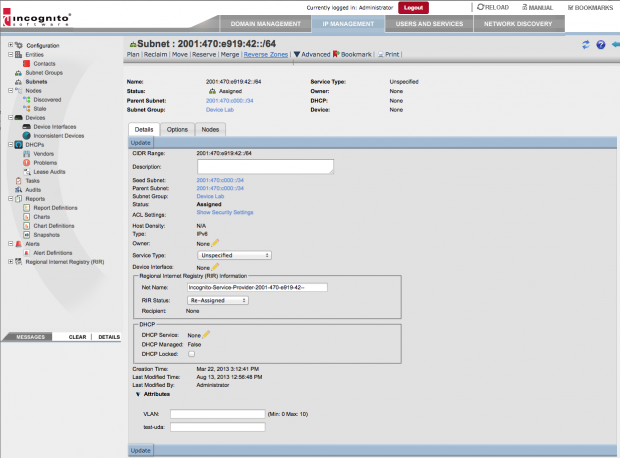
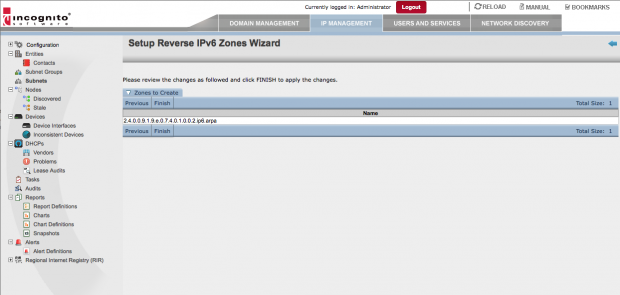
Go to an Assigned IPv6 subnet and start the “Reverse Zones” wizard
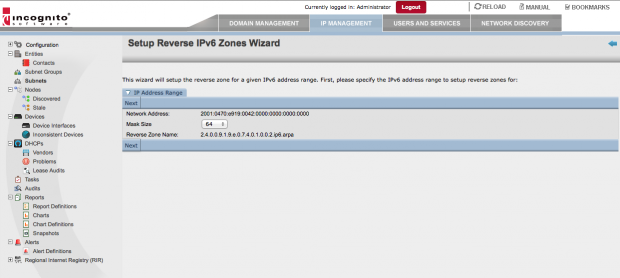
Run through the wizard
Mask size: make sure the mask size is less than or equal to the mask size of the subnet
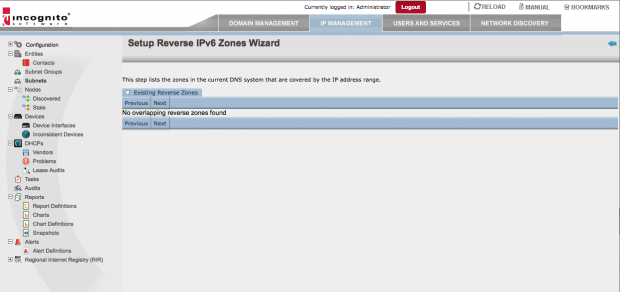
If there is already a reverse lookup zone that overlaps the range, the wizard will inform you and offer to navigate you to it


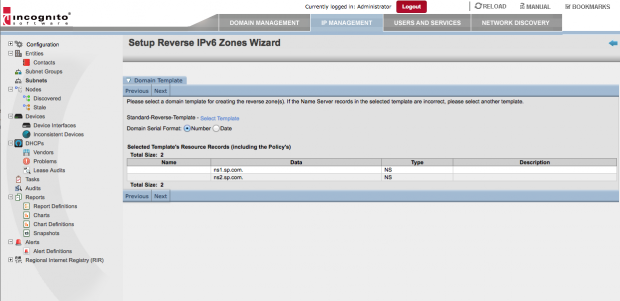
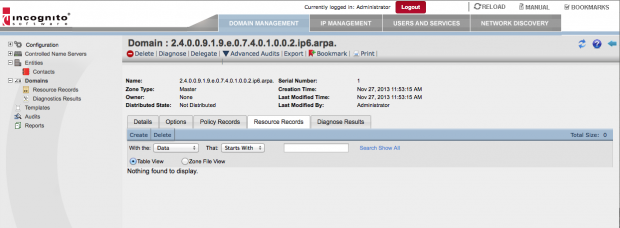
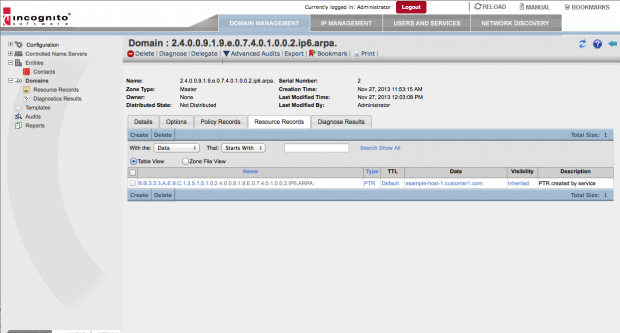
The wizard creates the reverse lookup zone in NC. For example: 0.0.0.0.1.0.1.0.0.0.0.3.0.0.0.2.ip6.arpa.
In Name Commander, create a forward lookup zone such as “customer1.com”
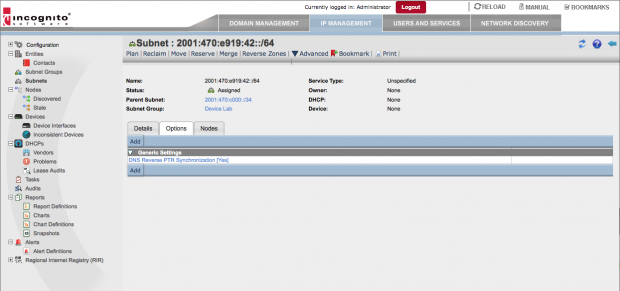
Navigate to the Assigned Subnet in Address Commander and enable the option “DNS Reverse PTR Synchronization”
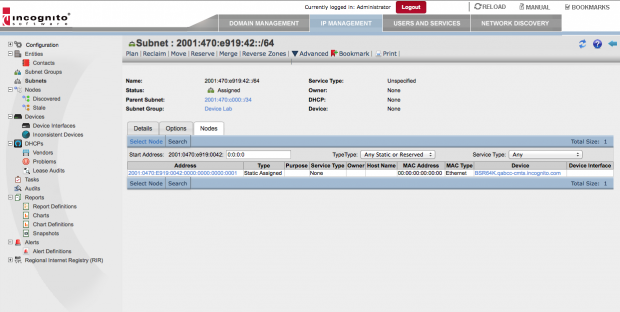
Start assigning IPv6 addresses / Nodes
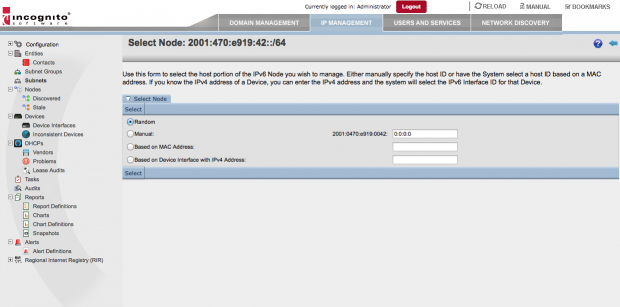
Go to the subnet and select an unplanned node
Choose from: Random selection, manual selection, translate from a given hardware (MAC) address, or translate from an IPv4 address

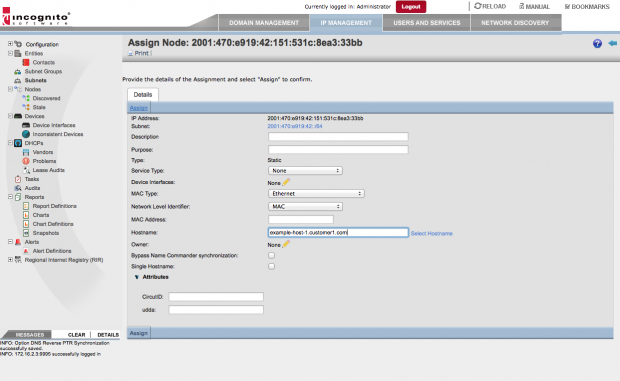
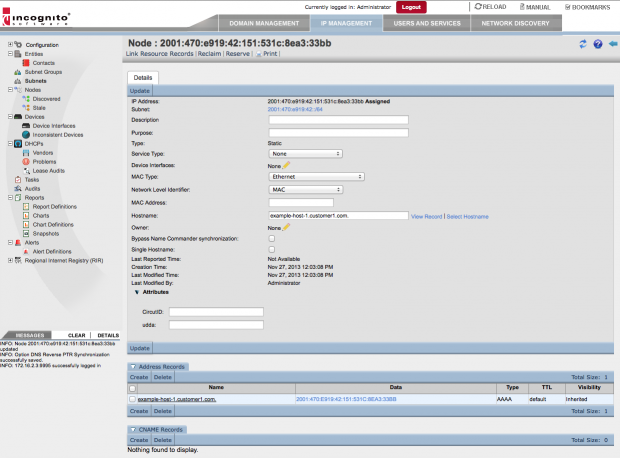
Assign and specify a domain/hostname managed in Name Commander. E.g. example-host-1.customer1.com 
Note that Address Commander creates forward and reverse lookup records in Name Commander 
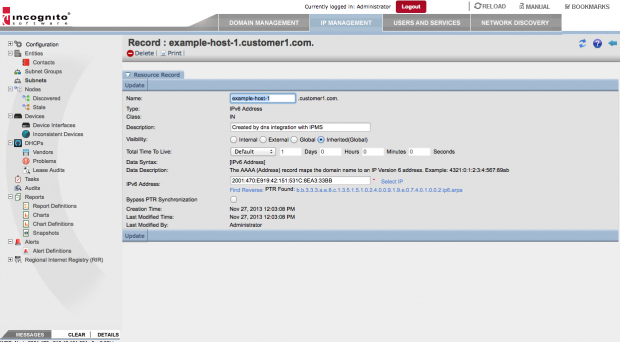
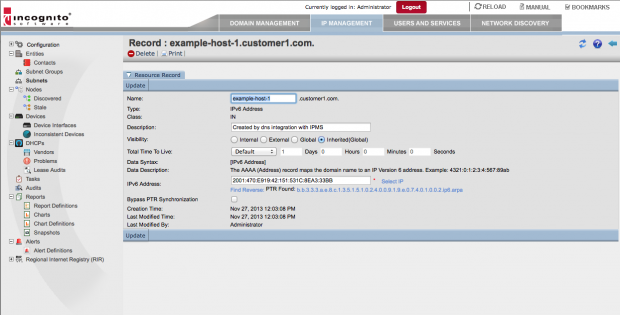
Go to forward domain
Select an A record

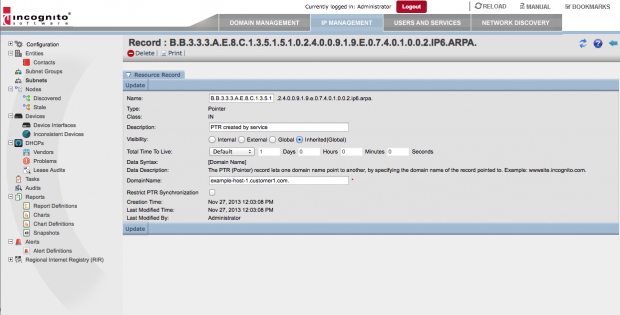
Select “Find Reverse” and navigate to it

The “Reverse Zones” wizard creates the reverse lookup zone
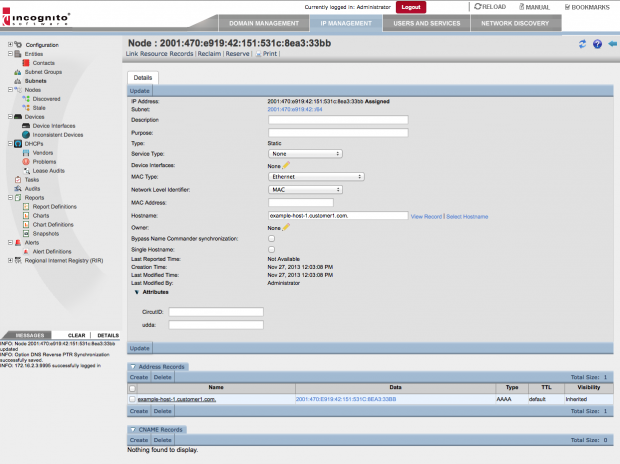
When the Node is assigned, Address Commander creates the AAAA record in the forward zone customer1.com in Name Commander from the node information

When the “DNS Reverse PTR Synchronization” is enabled in the AC Subnet, the PTR record for the AAAA record is automatically created in the reverse zone.

To see the benefits of this integration, view the node in Address Commander and note the link to the Name Commander record “host1.customer.com”. If you look at the Name Commander record notice, you can then navigate to the PTR record.
By setting up reverse lookup zone for a range of IPv6 addresses, you can automatically create and manage relationships between Address Commander Nodes and Name Commander forward/reverse lookup DNS records. Learn more about managing requests for IPv4 and IPv6 address space here.